
Support Site Types:
- WooCommerce
- BigCommerce
Steps to enable
- Follow the AutomationFFL install guide WooCommerce or BigCommerce
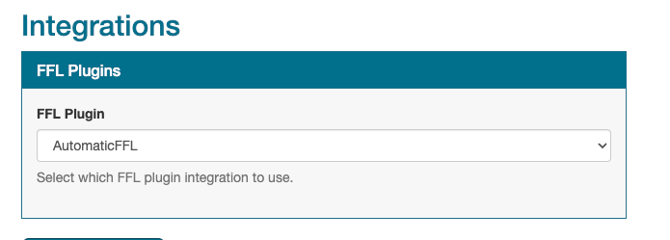
- In Spark Shipping -> Sites -> Go to Site -> Integrations (Side Bar) -> FFL Plugins -> AutomaticFFL
BigCommerce Only
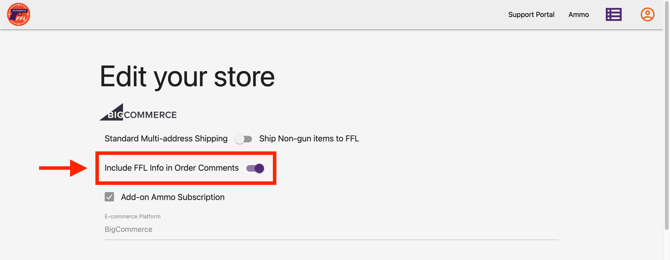
In AutomaticFFL -> Include FFL info in Order Comments -> Enabled
What this does
- When products are sent to the site, Spark Shipping will now tag firearms appropriately.
- When sending orders to vendors for FFL orders, Spark Shipping will now parse the FFL address and the shipping address and send them to the vendor in the correct format.