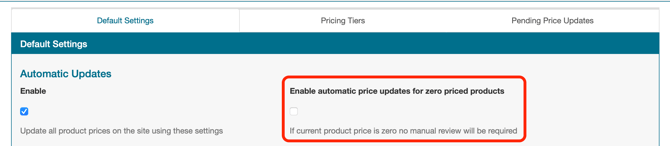
If a product's current price in your store is $0, Spark Shipping has no baseline to calculate a variance from, so automatic price updates won't run for it. Zero-priced products are skipped by default.
To change that, go to Automation > Price Automation > Default Settings and turn on Auto-approve Zero Price Updates. Spark Shipping will price those products automatically from that point on, no Manual Review required.