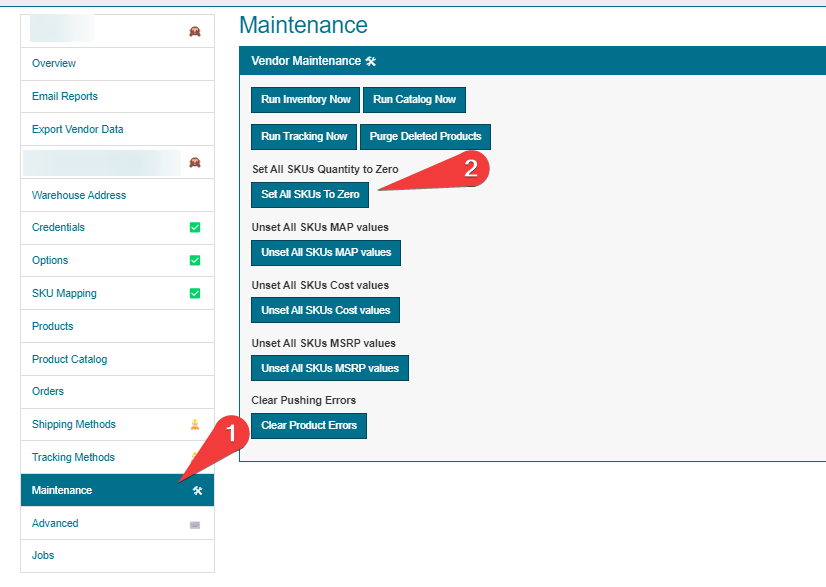
To zero quantities and inventory of a specific vendor, the simplest method is to visit the vendor's page and navigate to the maintenance section. From there, under Set All SKUs Quantity to Zero, click the button that says Set All SKUs To Zero and confirm.
The update is scheduled to run 30 minutes after you confirm. You can follow it in the vendor's Jobs.