
Ingram Micro will provide you with an API Client ID, API Client Secret, and Customer Number.
Important Note: In addition to your API credentials, you will also need to obtain FTP Credentials from Ingram Micro. These FTP credentials are required to successfully populate and update the Ingram product catalog.
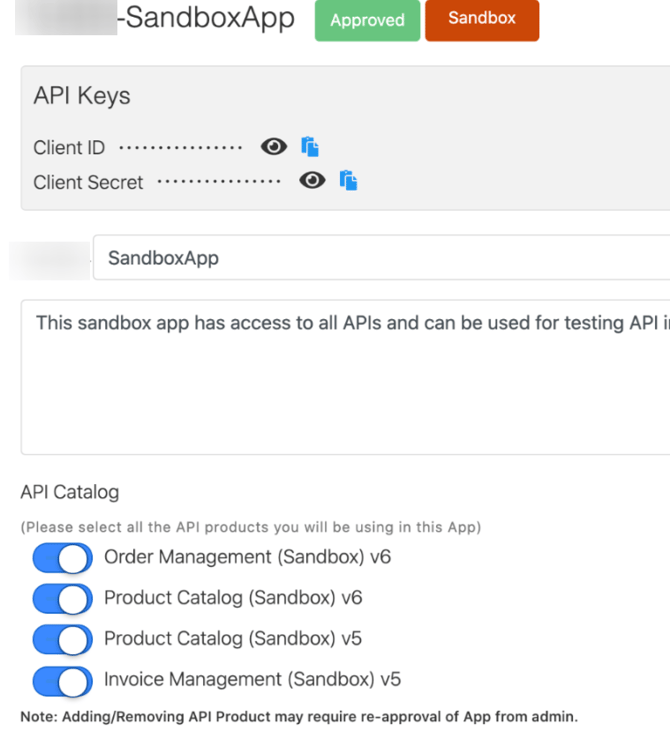
Once complete, you must get approval for the Sandbox and/or Production API endpoints.
Get Endpoint Approval
- Go to https://developer.ingrammicro.com
- Go to Apps -> Add Production App
- Once it's finished, your Ingram Account Representative must review and approve the requested access.
- Once the App shows Approved, you can access the Ingram API and configure your catalog using Spark Shipping.
Price File Design Form
- Ingram Micro requires you to fill out their Price File Design Form for the FTP price file that Spark Shipping uses for your catalog.
- Use the settings from the Ingram Micro Price File Design Form Template before you connect Spark Shipping to Ingram Micro.
Enter Your Credentials in Spark Shipping
On your Ingram Micro vendor, click Credentials and fill in:
- Country – the Ingram Micro country your account belongs to.
- API Client ID and API Client Secret
- Enable API v6 – checked by default. If unchecked, Spark Shipping uses the older Ingram v5 API.
- Customer Number
- Test SKU – leave blank to try the default SKU, or enter an Ingram part number your account has access to. A test request is sent for this SKU to confirm you have access to the Pricing API.
- Environment – testing uses Ingram's sandbox API; production uses the live API.
- Under FTP credentials for Catalog, enter your FTP Username and FTP Password. The FTP Host is filled in for you based on the Country.
Click Test Connection. If it fails, see Ingram Micro - Common Errors.
