Product Price Update Statuses
The following price update statuses may appear next to a suggested price on the product page. Each status indicates a specific reason or stage in the price update process:
- Price Updates Disabled
Price changes are turned off for this product: either Enable Automatic Updates is off for the site, or an active workflow turns off price updates for this product. - Price Updates Disabled for Brand
Price changes are disabled for all products under this brand, including this one. This is set with Disable Price Updates on the brand's group under Pricing by Brand (Automation > Pricing > Pricing Tiers). - Manual Review Required
This price update requires a manual review before it can proceed: the change is larger than your tolerance, or the product's current price is $0. Approve it from Pending Price Updates. - Update Pending
The new price is within your tolerance and will be pushed to your store on the next automatic run (about every 30 minutes), or right away with Update All. - Incomplete Data
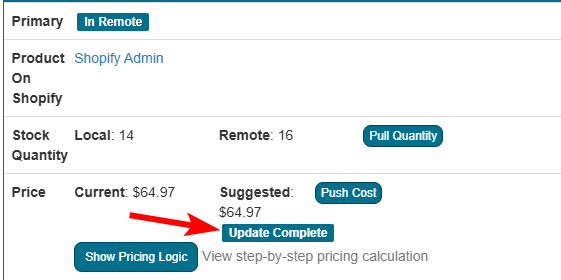
The product is missing information required to complete a price update — most commonly, cost data on the vendor SKUs. To resolve this, ensure all vendor SKUs have cost data assigned. - Update Complete
The price update has successfully processed and is now in effect. - Update Pending Until In Stock
For Amazon only: the product is out of stock, and the price update will be applied once inventory is available. - Not Mapped
The product is not mapped to an active vendor (it is on Default Vendor, or only mapped to inactive vendors), so automated price updates cannot run. Map the product to a vendor to resolve this. - Supported via Workflows Only
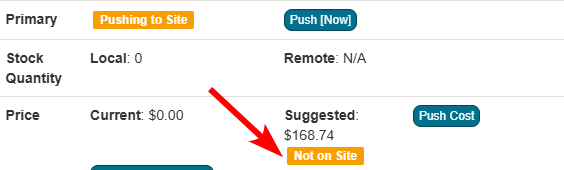
This is a bundle or super bundle. Bundles are not priced by the standard pricing settings; their price can only be updated by an active pricing workflow that matches the product. - Not on Site
The product is not live on your store: it has not been pushed to the store yet, or it was deleted from the store.